



Why This Category Deserves Careful Comparison
Desktop computers remain the backbone of productivity and entertainment for many users. Whether you're a professional tackling demanding tasks, a student managing coursework, or a home user seeking a reliable media hub, the right desktop can significantly enhance your daily experience. With a wide range of options available, from ultra-compact mini PCs to more traditional tower setups, understanding the nuances of each system is crucial. This guide dives deep into eight distinct desktop computer options, analyzing their specifications, performance capabilities, and value propositions to help you find the perfect fit for your needs.
Quick Comparison Table
| Product | Price | Rating | Review Count |
|---|---|---|---|
| KAMRUI Pinova P2 AMD Ryzen 7330U Mini PC | $339.99 | 4.4/5 | 1,918 |
| GMKtec Mini PC Intel N95 Processor G3S | $239.97 | 4.3/5 | 1,752 |
| GMKtec Mini PC Intel Core i3-10110U G3 Pro | $246.99 | 4.3/5 | 1,740 |
| KAMRUI AK1PLUS Mini PC Intel Celeron N5095 | $279.99 | 4.4/5 | 1,733 |
| GMKtec Mini PC G3 PRO Intel Core i3-10110U 16GB/512GB | $329.99 | 4.4/5 | 1,611 |
| Microsoft Windows 11 (USB) | $140.49 | 4.4/5 | 1,167 |
| Dell Optiplex 3060 Desktop Computer (Renewed) | $362.99 | 4.2/5 | 1,039 |
| KAMRUI P2 Mini PC Windows 11 Pro i5-12600H | $409.00 | 4.4/5 | 913 |
Individual Product Analysis
1. KAMRUI Pinova P2 AMD Ryzen 7330U Mini PC: Best for Multitasking Power
The KAMRUI Pinova P2 stands out with its AMD Ryzen 7330U processor, a powerhouse designed for efficiency and performance. This CPU boasts 4 cores and 8 threads, outperforming Intel's i3-10110U and N95 processors, especially in multi-core tasks. With 16GB of LPDDR4X RAM and a 256GB SSD, it handles multitasking smoothly. The integrated AMD Radeon Graphics can drive triple 4K@60Hz displays, making it excellent for visual workloads and media consumption. Its compact design and quiet cooling system add to its appeal.
Key Specs:
- Processor: AMD Ryzen 7330U (4C/8T)
- RAM: 16GB LPDDR4X
- Storage: 256GB M.2 SSD
- Display Output: Triple 4K@60Hz
- Price: $339.99
- Rating: 4.4/5 from 1,918 reviews
2. GMKtec Mini PC Intel N95 Processor G3S: Best Budget-Friendly Office Machine
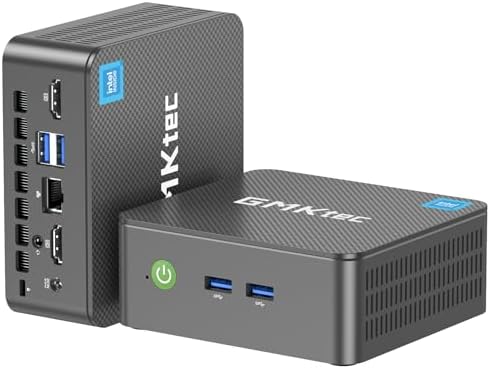
For those seeking a capable and affordable option for everyday office tasks and home entertainment, the GMKtec G3S with an Intel N95 processor is a strong contender. This mini PC features a 4-core, 4-thread CPU that offers a 36% performance improvement over some predecessors. It comes equipped with 8GB of DDR4 RAM and a 256GB SSD, providing a responsive experience for routine tasks and multitasking across multiple browser tabs. The G3S supports dual 4K@60Hz displays via two HDMI ports, and includes USB 3.2, WiFi 5, and Gigabit Ethernet for versatile connectivity.
Key Specs:
- Processor: Intel N95 (4C/4T, up to 3.4GHz)
- RAM: 8GB DDR4
- Storage: 256GB M.2 SSD
- Display Output: Dual 4K@60Hz
- Price: $239.97
- Rating: 4.3/5 from 1,752 reviews
3. GMKtec Mini PC Intel Core i3-10110U G3 Pro: Best for Balanced Performance
The GMKtec G3 Pro, powered by an Intel Core i3-10110U processor, offers a compelling balance of single-core and multi-thread performance. Its higher boost clock of 4.1 GHz makes it adept at tasks like web browsing and office applications, while Hyper-Threading benefits multi-threaded workloads. This model includes 8GB of DDR4 RAM and a 256GB SSD for quick boot-ups and application loading. It also features a secondary M.2 NVMe PCIe slot for storage expansion. Connectivity is robust with 4x USB 3.2 ports, dual 4K@60Hz HDMI outputs, WiFi 6, and 2.5GbE Ethernet.
Key Specs:
- Processor: Intel Core i3-10110U (up to 4.1 GHz)
- RAM: 8GB DDR4
- Storage: 256GB M.2 SSD
- Display Output: Dual 4K@60Hz
- Networking: 2.5GbE Ethernet, WiFi 6
- Price: $246.99
- Rating: 4.3/5 from 1,740 reviews
4. KAMRUI AK1PLUS Mini PC Intel Celeron N5095: Best for Everyday Computing Needs
For users focused on everyday computing tasks like web browsing, online classes, and video conferencing, the KAMRUI AK1PLUS with an Intel Celeron N5095 processor is a solid choice. This processor offers up to 30% better performance than the N4500, ensuring responsiveness for common applications. It comes with a generous 16GB of LPDDR4X RAM and a 256GB M.2 SSD, providing ample speed for multitasking. The AK1PLUS supports dual 4K@60Hz displays, making it suitable for expanding your workspace. Storage can be expanded significantly with support for up to 4TB via an additional 2.5-inch SATA drive and an M.2 slot.
Key Specs:
- Processor: Intel Celeron N5095 (4 Cores, up to 2.9GHz)
- RAM: 16GB LPDDR4X
- Storage: 256GB M.2 SSD (expandable up to 4TB)
- Display Output: Dual 4K@60Hz
- Price: $279.99
- Rating: 4.4/5 from 1,733 reviews
5. GMKtec Mini PC G3 PRO Intel Core i3-10110U 16GB/512GB: Best for Enhanced Storage and Performance
Building on the strengths of its predecessor, the GMKtec G3 PRO with 16GB DDR4 RAM and a 512GB SSD offers a significant upgrade in storage capacity and overall performance. The Intel Core i3-10110U processor ensures smooth single-core and multi-thread operations, ideal for productivity and multitasking. With double the SSD storage compared to some other models, this PC is well-suited for users who need to store more applications and files locally. It retains the excellent connectivity of the G3 Pro, including dual 4K@60Hz displays, WiFi 6, and 2.5GbE Ethernet, making it a versatile choice for business and home use.
Key Specs:
- Processor: Intel Core i3-10110U (up to 4.1 GHz)
- RAM: 16GB DDR4
- Storage: 512GB M.2 SSD
- Display Output: Dual 4K@60Hz
- Networking: 2.5GbE Ethernet, WiFi 6
- Price: $329.99
- Rating: 4.4/5 from 1,611 reviews
6. Microsoft Windows 11 (USB): Best as an Operating System Upgrade
While not a complete desktop system, Microsoft Windows 11 (USB) is essential for building or upgrading a PC. This operating system is designed for a streamlined user experience with a refreshed interface, making tasks effortless. It offers robust security features, including biometric logins and advanced antivirus defenses, to protect against cyber threats. Windows 11 also excels at maximizing screen real estate with features like snap layouts and seamless redocking, enhancing productivity. Its integration with Microsoft Teams further aids communication.
Key Specs:
- Product Type: Operating System
- Installation Media: USB
- Features: Refreshed Design, Enhanced Security, Snap Layouts, Widgets, Microsoft Teams Integration
- Price: $140.49
- Rating: 4.4/5 from 1,167 reviews
7. Dell Optiplex 3060 Desktop Computer (Renewed): Best for Refurbished Value
The Dell Optiplex 3060, offered as a renewed unit, provides a solid desktop experience with a focus on reliability and business-grade features. It is powered by an Intel i5-8500 processor and boasts a substantial 32GB of DDR4 RAM, paired with a 1TB SSD for ample storage and speed. This model includes built-in WiFi and Bluetooth for convenient connectivity. Notably, it features a unique side-panel RGB lighting kit for customizable aesthetics. As a product from the world's largest Microsoft Authorized Refurbisher, it comes with a quality guarantee and free tech support.
Key Specs:
- Processor: Intel i5-8500
- RAM: 32GB DDR4
- Storage: 1TB SSD
- Connectivity: Built-in WiFi, Bluetooth
- Operating System: Windows 11 Professional
- Price: $362.99
- Rating: 4.2/5 from 1,039 reviews
8. KAMRUI P2 Mini PC Windows 11 Pro i5-12600H: Best for High-End Performance at a Mid-Range Price
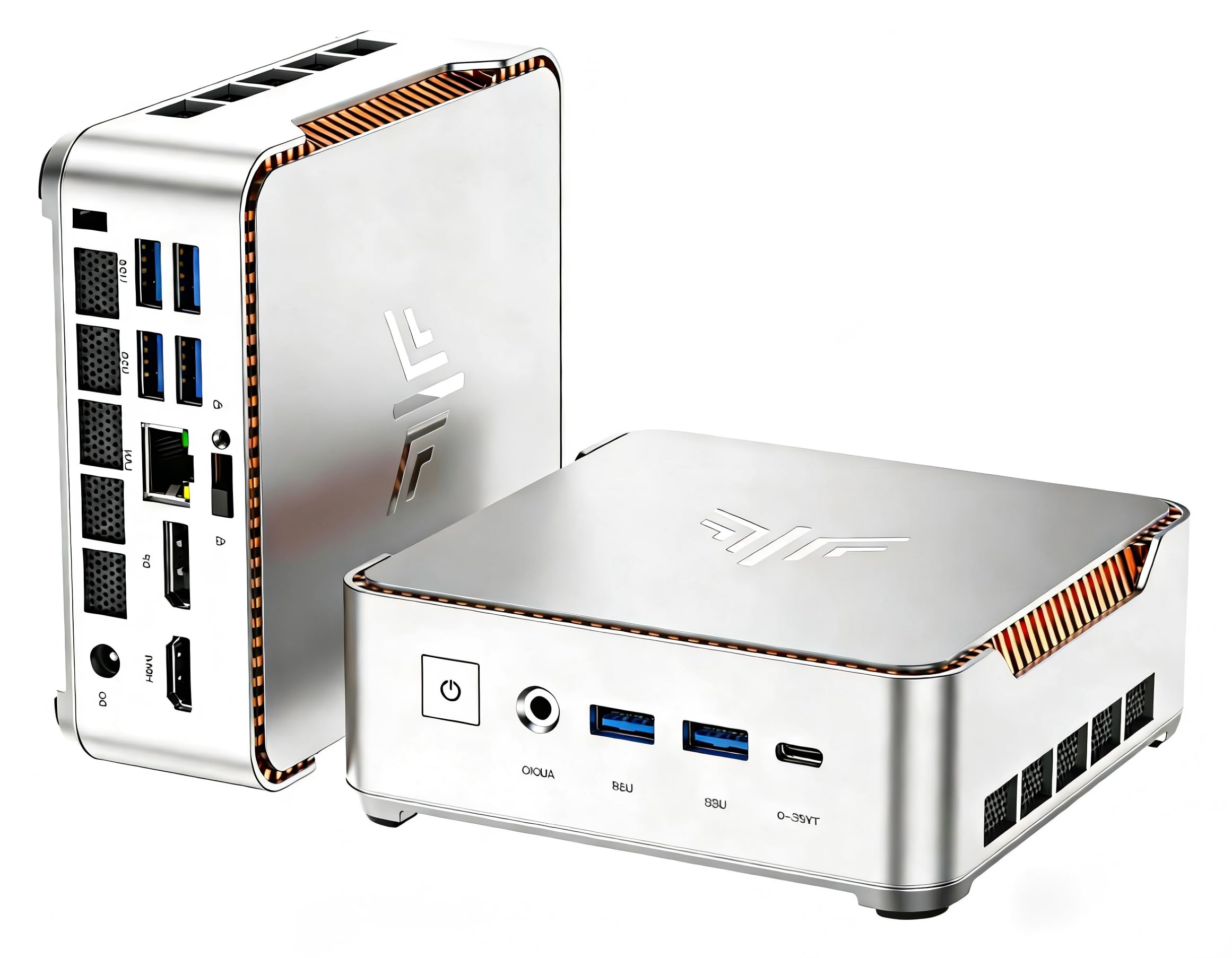
The KAMRUI P2, featuring a 12th Gen Intel i5-12600H processor, represents a significant leap in performance, offering capabilities comparable to higher-tier i7 and R7 processors. With 12 cores, 16 threads, and a turbo frequency up to 4.5GHz, it excels in demanding applications, gaming, and intensive multitasking. This mini PC comes with 16GB RAM and a 512GB SSD, with an additional M.2 slot for further storage expansion up to 4TB. It supports triple-screen setups with 4K@60Hz resolution and offers robust connectivity including WiFi 6 and Bluetooth 5.2, all within a compact and elegantly designed metal casing.
Key Specs:
- Processor: Intel i5-12600H (12 Cores/16 Threads, up to 4.5GHz)
- RAM: 16GB
- Storage: 512GB SSD (expandable)
- Display Output: Triple 4K@60Hz
- Networking: WiFi 6, Bluetooth 5.2, 2.5GbE Ethernet
- Price: $409.00
- Rating: 4.4/5 from 913 reviews
Desktop Computer Buying Guide
Choosing the right desktop computer involves considering several key specifications that align with your intended use. Here's what to look for based on the products reviewed:
Processor (CPU)
The processor is the brain of your computer. For basic tasks like web browsing and email, Intel Celeron or N-series processors (like the N5095 or N95) are sufficient. For more demanding multitasking, office applications, and light creative work, Intel Core i3 (like the i3-10110U) or AMD Ryzen processors (like the Ryzen 7330U) offer a better experience. For high-performance needs, gaming, or heavy content creation, processors like the Intel i5-12600H provide substantial power with multiple cores and threads.
Memory (RAM)
RAM dictates how many applications you can run simultaneously without slowdown. 8GB RAM is the minimum for smooth multitasking and general use. 16GB RAM is recommended for users who frequently switch between applications, run more demanding software, or engage in heavy multitasking. Some systems, like the renewed Dell Optiplex, offer even more with 32GB RAM for professional workloads.
Storage (SSD/HDD)
Storage determines how much data you can save and how quickly your system boots and loads applications. Solid State Drives (SSDs) are significantly faster than traditional Hard Disk Drives (HDDs). Look for SSDs, with capacities ranging from 256GB for basic use to 512GB or 1TB for more extensive storage needs. Many mini PCs also offer expansion options, such as M.2 slots or 2.5-inch bays, allowing you to add more storage later, often supporting up to 4TB.
Graphics (GPU)
For most users, integrated graphics are sufficient for everyday tasks, web browsing, and video playback. Processors with integrated AMD Radeon Graphics (like in the KAMRUI Pinova P2) or Intel UHD Graphics (found in many Intel-based systems) can handle these tasks. For users needing to drive multiple high-resolution displays, look for systems that explicitly support triple 4K@60Hz or dual 4K@60Hz outputs, as seen in several of the reviewed mini PCs.
Connectivity and Ports
Ensure the desktop has the ports you need. Common ports include USB 3.2 (offering speeds up to 10Gbps), HDMI (for display output), Ethernet (for wired internet), and audio jacks. Newer standards like WiFi 6 and Bluetooth 5.2 offer faster and more reliable wireless connections. For advanced users, features like 2.5GbE Ethernet provide significantly faster wired network speeds.
Form Factor and Cooling
Desktop computers come in various sizes. Mini PCs offer a space-saving design, often measuring around 5x5 inches, making them ideal for small desks or minimalist setups. Traditional towers offer more room for expansion and cooling. Efficient cooling systems are crucial for maintaining performance and longevity, especially in compact designs. Look for features like quiet fans and optimized airflow, as highlighted in several of the KAMRUI and GMKtec models.


