Introduction
Welcome to our comprehensive guide to choosing the right PC components and accessories. Whether you're a seasoned gamer seeking the edge in competitive play, a creative professional demanding reliable performance, or a home user looking for a seamless computing experience, selecting the correct hardware is crucial. This guide will equip you with the knowledge to make informed decisions, focusing on the specifications and value that truly matter. We'll use real-world examples from currently available products to illustrate these points, ensuring you can apply this advice directly to your shopping.
Key Factors to Consider
When evaluating PC components and accessories, several key factors stand out. Understanding these will help you filter options and identify products that meet your specific needs.
Audio and Input Devices
For many PC users, audio and input devices are paramount for both productivity and entertainment. Let's break down what to look for:
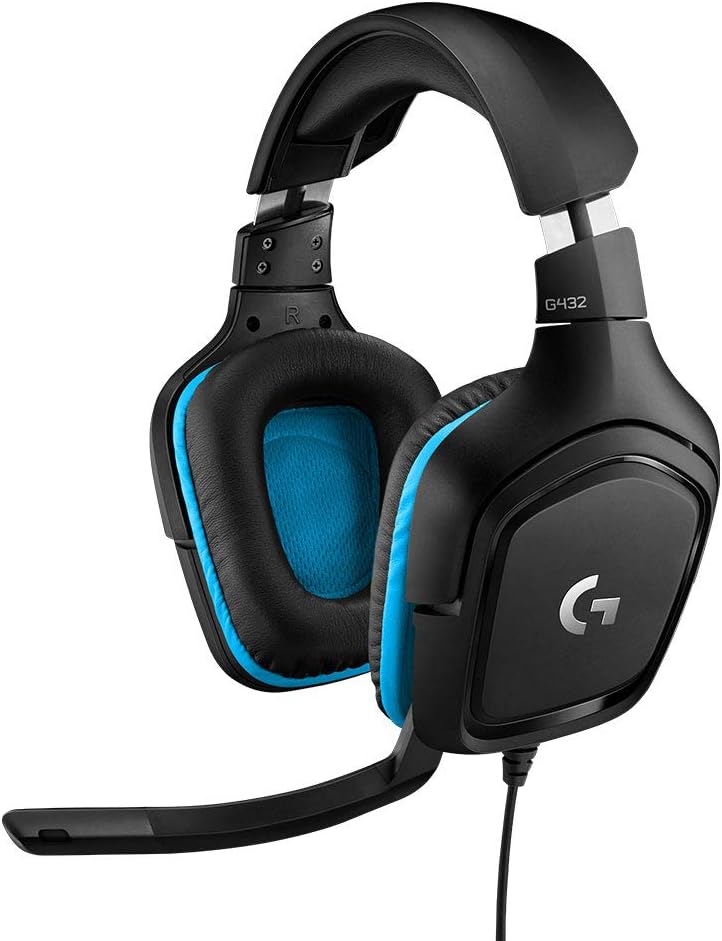
- Headsets: Sound quality is often driven by audio driver size. For instance, the Logitech G432 Wired Gaming Headset features 50 mm Audio Drivers, designed to provide a more immersive and detailed sound experience. Features like DTS Headphone:X 2.0, as seen in the Logitech G432, offer advanced surround sound capabilities, crucial for positional awareness in games. Comfort is also key; look for lightweight designs and over-ear form factors with features like leatherette ear cups for extended use. Connectivity is another consideration, with options like USB, 3.5 mm jack, or wireless solutions. The Logitech G432, for example, offers both USB and 3.5 mm connectivity, enhancing its versatility across platforms like PC, Mac, Xbox One, PS4, and Nintendo Switch. Microphone quality is also vital for communication, with features like flip-to-mute mics, as found on the Logitech G432, adding convenience.
- Keyboards: Keyboards vary significantly in their design and functionality. Consider the key switch type (though not always explicitly detailed, 'mechanical feel' is often mentioned), layout (UK QWERTY is standard for British consumers), and features like anti-ghosting, which allows multiple keys to be pressed simultaneously without issue. The SteelSeries Apex 7 boasts durable mechanical gaming switches guaranteed for 50 million keypresses and an OLED smart display for enhanced functionality. For those seeking a more compact setup, 75% layouts, like the YUNZII B75 PRO Wireless Mechanical Keyboard, offer a balance of functionality and space-saving design, often including a useful knob for volume control or mode switching. Durability is often indicated by materials like aircraft-grade aluminium alloy (SteelSeries Apex 7) or reinforced steel plates.
- Mice: Mouse performance is often defined by its sensor technology and DPI (Dots Per Inch). The ATTACK SHARK X3 highlights its PixArt PAW3395 Gaming Sensor with adjustable DPI up to 26,000, catering to users who need high precision. Weight is another critical factor, especially for gamers; the ATTACK SHARK X3 is noted for its 49g super light design. Connectivity options are also important, with tri-mode connectivity (wired, 2.4GHz wireless, Bluetooth) becoming increasingly common, as seen in the ATTACK SHARK X3 and YUNZII B75 PRO. Battery life is a consideration for wireless mice, with some offering up to 200 hours on a single charge, like the ATTACK SHARK X3.
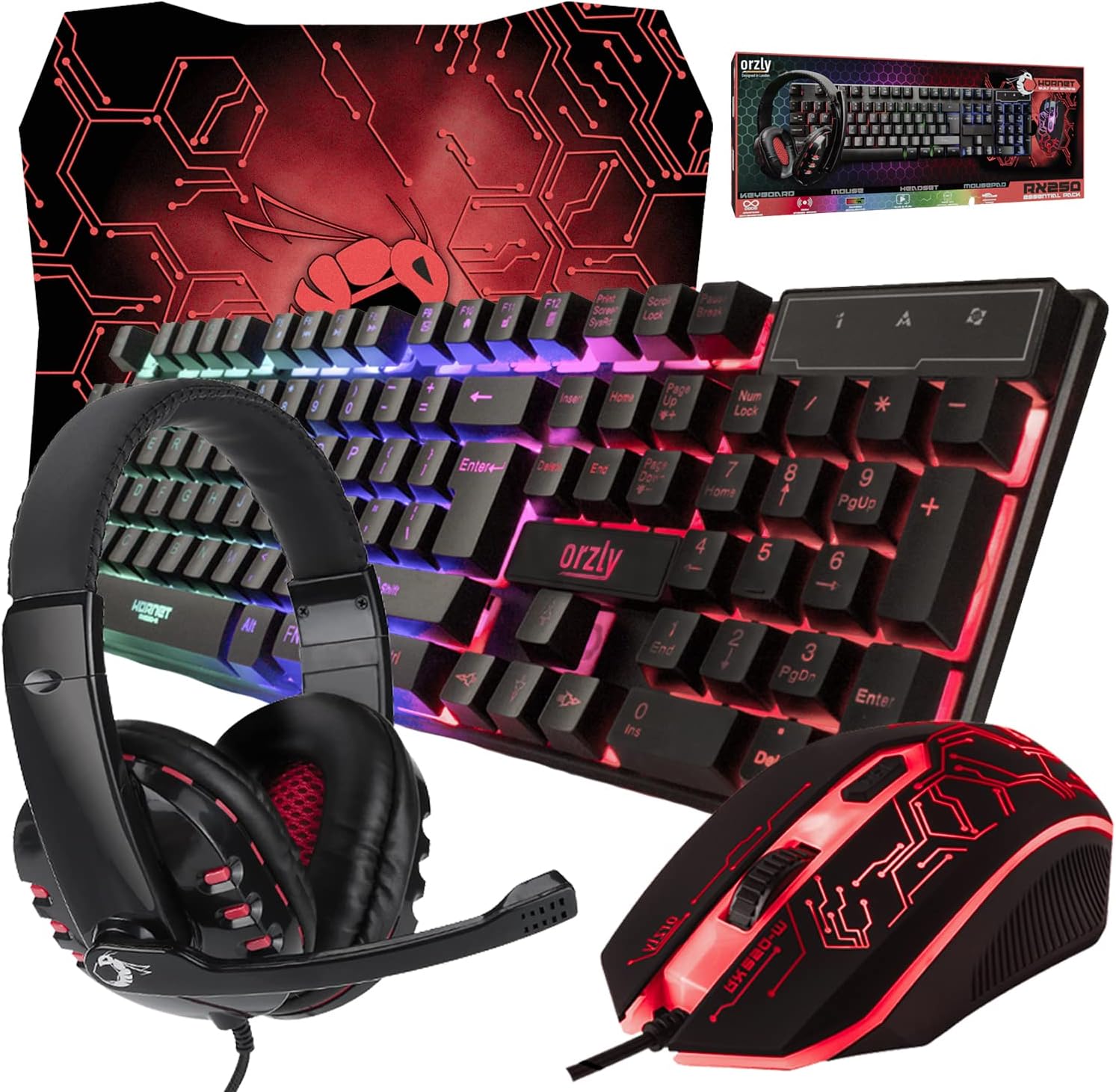
- Bundles: For those looking for a complete setup, gaming bundles offer a cost-effective solution. The Orzly Gaming Keyboard and Mouse and Mouse pad and Gaming Headset Bundle (RX-250) provides an all-in-one package including a keyboard, mouse, headset, and mousepad. These bundles are often designed for broad compatibility across various platforms, including PCs, Macs, and consoles.
Connectivity and Compatibility
Ensuring your new hardware works seamlessly with your existing setup is vital. Wired connections, such as USB and 3.5 mm jacks, offer simplicity and reliability. Wireless options, including 2.4GHz and Bluetooth, provide greater freedom but require attention to battery life and potential interference. Many products, like the Logitech G432 headset and the Orzly bundle, are designed for broad compatibility across PC, Mac, and various gaming consoles, making them versatile choices.
Ergonomics and Comfort
For extended use, comfort is paramount. Look for features such as lightweight designs, adjustable headbands and earcups on headsets, and ergonomic shapes for mice. Keyboards with wrist rests, like the RedThunder K10 Wired Gaming Keyboard and Mouse Combo, can significantly reduce fatigue during long typing or gaming sessions. Adjustable keyboard feet also contribute to a more comfortable typing angle.
Price & Value
Understanding the price landscape helps in finding the best value for your budget. Prices for PC accessories can range significantly, and what you get for your money often correlates with the features and build quality.
- Entry-Level (Under £50): In this range, you can find solid, functional peripherals. For example, the Orzly Gaming Keyboard and Mouse and Mouse pad and Gaming Headset Bundle (RX-250) is available for £43.91, offering a complete starter kit. The ATTACK SHARK X3 49g Superlight Mouse is priced at £44.99, focusing on a lightweight design and advanced sensor for discerning users. The RedThunder K10 Wireless Gaming Keyboard and Mouse Combo is listed at £49.99, providing a rechargeable wireless solution with RGB lighting.
- Mid-Range (£50 - £100): This segment often offers a significant step up in features, build quality, and performance. The Logitech G432 Wired Gaming Headset sits at £83.43, providing advanced audio features and broad compatibility. The YUNZII B75 PRO Wireless Mechanical Keyboard is available for £65.44, offering a premium customisable mechanical keyboard experience with tri-mode connectivity. The SteelSeries Apex 7 Mechanical Gaming Keyboard is priced at £74.47, featuring durable mechanical switches and an OLED display. The RedThunder K10 Wired Gaming Keyboard and Mouse Combo offers great value at £35.98 (down from £45.99), including features like a wrist rest and RGB lighting.
- Higher-End (Over £100): Products in this tier typically offer professional-grade features, premium materials, and advanced performance. The Logitech G 945-000003 Saitek X52 Pro Flight Control System is priced at £104.51 (down from £169.99), aimed at flight simulation enthusiasts.
Common Mistakes to Avoid
Navigating the PC accessory market can be tricky. Here are some common pitfalls to steer clear of:
- Overlooking Connectivity: Ensure the device's connection type (wired, wireless, Bluetooth) is compatible with your system and meets your needs for speed and convenience. A wireless device with poor battery life or an unreliable connection can be more frustrating than a simple wired option.
- Ignoring Ergonomics: Especially for peripherals used daily, comfort is not a luxury but a necessity. Devices that are too heavy, poorly shaped, or lack adequate padding can lead to discomfort and even repetitive strain injuries over time.
- Focusing Solely on Price: While budget is important, the cheapest option isn't always the best value. A slightly more expensive item with better build quality and features might last longer and provide a superior experience, ultimately saving you money in the long run.
- Not Checking Compatibility: Always verify that a peripheral is compatible with your operating system (Windows, macOS, Linux) and any gaming consoles you intend to use it with. Features like DTS Headphone:X 2.0 on the Logitech G432 may require specific software.
- Buying Unnecessary Features: While advanced features like RGB lighting or complex software controls can be appealing, consider if you'll actually use them. Sometimes, simpler, well-executed core functionalities are more important than a plethora of unused extras.
How to Judge Quality
Assessing the quality of a product without hands-on testing requires careful attention to the available data, particularly customer ratings and review counts.
- Aggregate Ratings: Look for products with consistently high ratings. For example, the SteelSeries Apex 7 Mechanical Gaming Keyboard has an impressive 4.7/5 stars. A high rating suggests that, on average, customers are satisfied with their purchase.
- Review Volume: A high number of reviews indicates a product has been purchased and used by many people, providing a broader consensus. The Logitech G432 Wired Gaming Headset has a substantial 4.4/5 rating from 28,836 reviews, suggesting a well-established and generally well-received product. Similarly, the Orzly Gaming Bundle boasts a 4.4/5 rating from 22,561 reviews. While a high rating is good, a high rating combined with a large review count offers more confidence.
- Specific Feature Mentions: While we don't have access to individual review text, the provided 'Known Pros' sections highlight features that customers frequently appreciate. For instance, the ATTACK SHARK X3 is praised for its 49g Super Light design and 3395 Gaming Sensor.
- Warranty Information: A manufacturer's warranty, such as the 2-year manufacturer’s guarantee for the Logitech G432 or the 12-month worry-free warranty for RedThunder products, can be an indicator of the manufacturer's confidence in their product's durability.
Real Options at a Glance
- Logitech G432 Wired Gaming Headset (£83.43): Best for versatile cross-platform audio with 50 mm drivers and DTS Headphone:X 2.0.
- Orzly Gaming Keyboard and Mouse and Mouse pad and Gaming Headset Bundle (£43.91): Best for a complete, budget-friendly starter kit.
- Logitech G 945-000003 Saitek X52 Pro Flight Control System (£104.51): Best for dedicated flight simulation enthusiasts seeking realistic controls.
- ATTACK SHARK X3 49g Superlight Mouse (£44.99): Best for competitive gamers prioritising extreme lightness and a high-performance sensor.
- RedThunder K10 Wireless Gaming Keyboard and Mouse Combo (£49.99): Best for a rechargeable wireless setup with customizable RGB lighting.
- RedThunder K10 Wired Gaming Keyboard and Mouse Combo (£35.98): Best for a feature-rich wired gaming combo with RGB and a wrist rest at a great price.
- SteelSeries Apex 7 Mechanical Gaming Keyboard (£74.47): Best for a durable mechanical keyboard with an integrated OLED display and premium build.
- YUNZII B75 PRO Wireless Mechanical Keyboard (£65.44): Best for a compact, customisable mechanical keyboard with versatile tri-mode connectivity.