Introduction
In today's digital age, the amount of data we generate and need to store is constantly growing. From precious family photos and videos to critical work documents and extensive game libraries, reliable data storage is no longer a luxury but a necessity. Choosing the right storage solution can seem daunting with the variety of options available, but understanding a few key factors will empower you to make an informed decision. This guide is designed to help you navigate the landscape of data storage, ensuring you select a product that meets your needs for speed, capacity, reliability, and budget.
Investing time in understanding your storage requirements and the available technology will save you from potential data loss, frustrating performance issues, and wasted expenditure. Whether you're a professional photographer needing to safeguard client work, a gamer demanding lightning-fast load times, or simply someone who wants to back up their digital life, this guide will provide the insights you need.
Key Factors to Consider
When selecting data storage, several technical specifications and features play a crucial role in determining performance, usability, and suitability for your specific tasks. Understanding these elements will help you differentiate between various products and make a choice that aligns with your needs.
Capacity
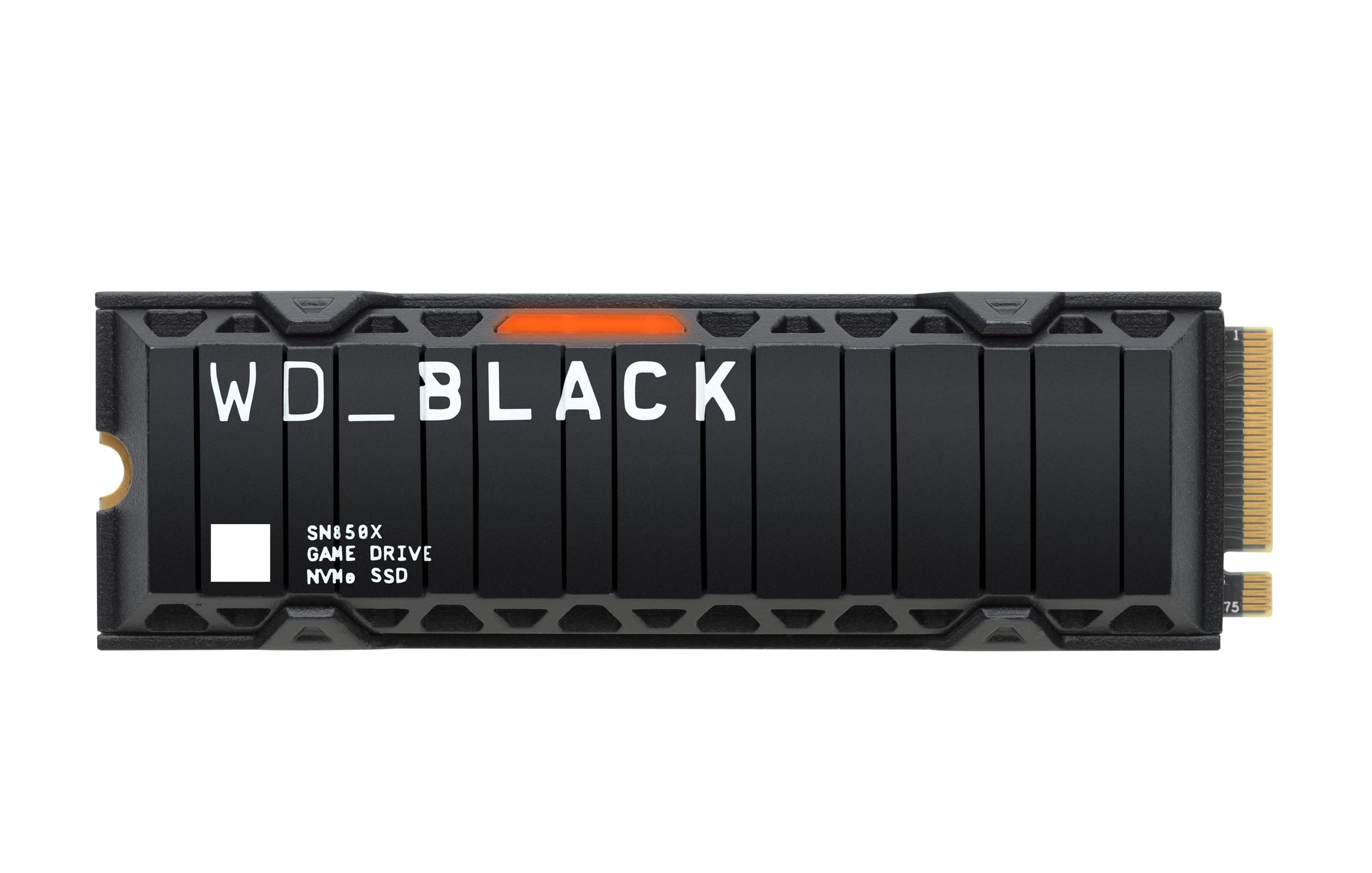
Capacity refers to the amount of data a storage device can hold, typically measured in gigabytes (GB) or terabytes (TB). Consider how much space your current files occupy and how much you anticipate needing in the future. For example, modern games can take up 200GB or more, as noted with the WD Black SN850X 2TB SSD, highlighting the need for substantial capacity for gamers.
Speed and Performance
Speed is crucial, especially for tasks like gaming, video editing, or transferring large files. This is often measured in read and write speeds (MB/s). Solid State Drives (SSDs) generally offer significantly higher speeds than traditional Hard Disk Drives (HDDs).
- NVMe SSDs offer top-tier performance. The WD Black SN850X 2TB SSD boasts speeds up to 7,300 MB/s, ideal for elite gaming experiences with short load times.
- Portable SSDs also provide excellent speed. The SanDisk Portable SSD 1TB offers read speeds up to 800 MB/s via USB 3.2 Gen 2, suitable for professionals and everyday use.
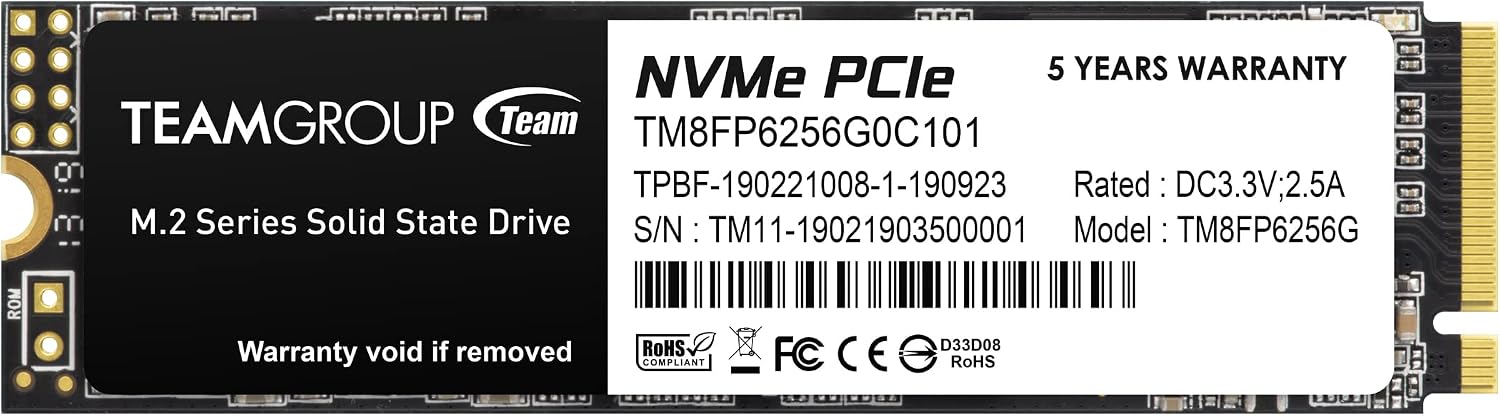
- SATA interface performance is a benchmark for comparison. The TEAMGROUP MP33 M.2 256GB SSD is noted to have transfer performance 5 times higher than the SATA III interface, indicating a significant speed advantage for handling large game data or editing software.
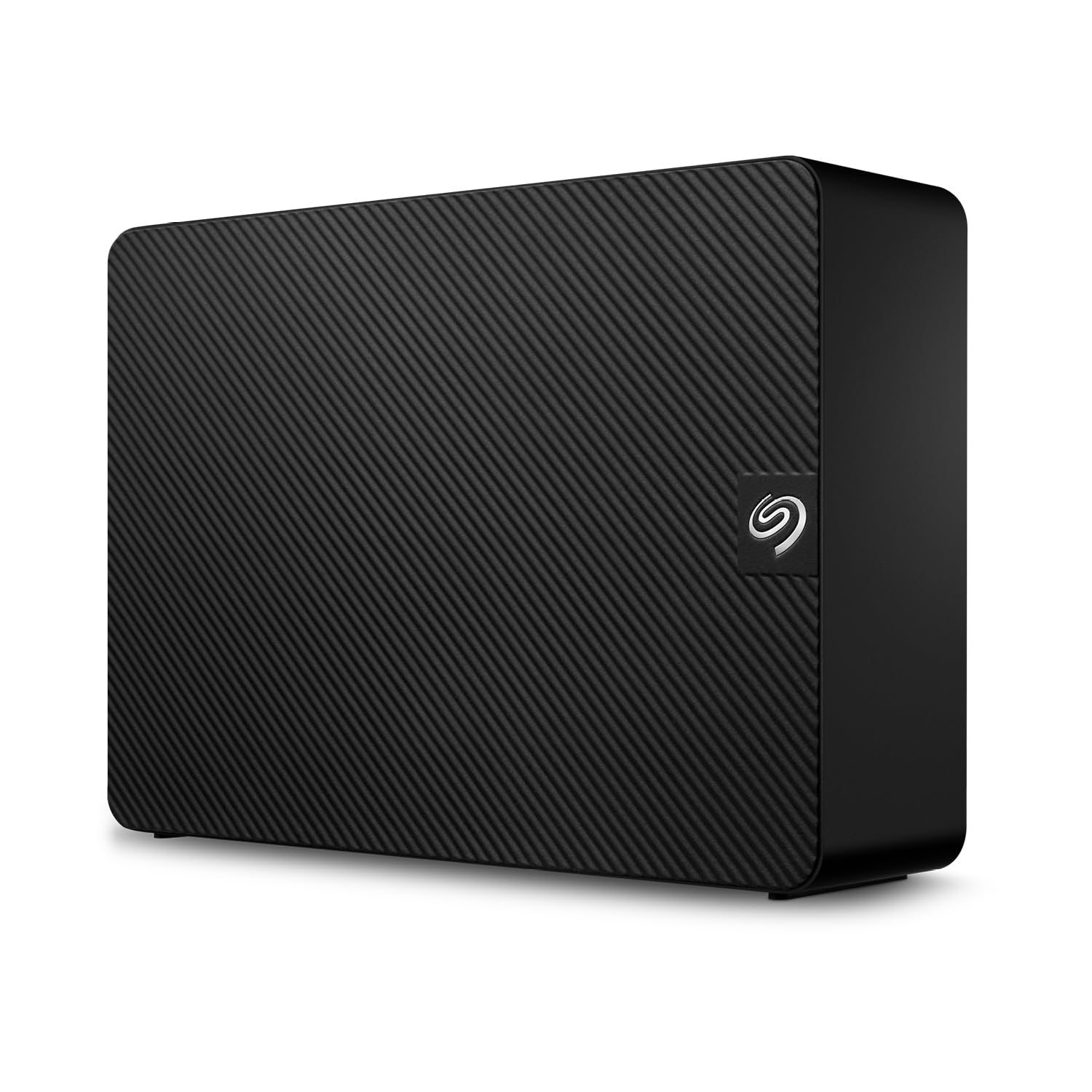
- USB 3.0 and USB 2.0 offer varying speeds. The Seagate Expansion Desktop 6TB uses USB 3.0 for fast file transfers, while the SRVR 4GB USB Flash Drive (20 Pack), with speeds up to 16MB/s read and 8MB/s write, is more suited for basic data transfer and storage.
Connectivity and Form Factor
The interface used to connect the storage device to your computer impacts speed and compatibility. Common interfaces include USB-A, USB-C, and internal M.2 slots.
- USB-C is becoming standard on modern devices, offering convenience and speed. The SanDisk Portable SSD 1TB features USB-C connectivity.
- M.2 NVMe drives, like the WD Black SN850X 2TB SSD and TEAMGROUP MP33 M.2 drives, are internal drives that slot directly into a compatible motherboard, offering high performance and a compact form factor.
- External Hard Drives, such as the Seagate Expansion Desktop 6TB, typically use USB-A or USB-C and are larger, designed for stationary use.
- Flash drives, like the Enfain 128GB Dual USB Flash Drive and SRVR 4GB USB Flash Drive (20 Pack), are small, portable, and often feature swivel designs for protection and easy attachment to keychains.
Durability and Reliability
For data that you cannot afford to lose, reliability is paramount. SSDs, having no moving parts, are generally more durable against physical shock than HDDs.
- Brands like SanDisk, trusted by professional photographers, offer solutions like the SanDisk Portable SSD 1TB, emphasizing secure content and memory protection.
- Some products include data recovery services. The Seagate Expansion Desktop 6TB comes with Rescue Data Recovery Services, offering peace of mind.
- Features like a durable rubber fastening loop on the SanDisk Portable SSD 1TB help prevent loss, and swivel designs on flash drives protect the USB end.
Specific Features
Consider any specialised features that might benefit your usage. For instance, the WD Black SN850X 2TB SSD includes a heatsink option for maintaining peak performance during intense gaming sessions and a Game Mode 2.0 for PC performance boosting.
Price and Value
The price of data storage varies significantly based on capacity, speed, and technology type. Understanding these price tiers can help you budget effectively.
- Budget-friendly options (under £50): Devices like the SRVR 4GB USB Flash Drive (20 Pack) at £42.99 and the Enfain 128GB Dual USB Flash Drive at £39.37 offer basic storage and transfer capabilities, often in multi-packs for added value. These are suitable for smaller files, backups, or transferring documents.
- Mid-range options (£60 - £150): This bracket includes higher capacity flash drives and entry-level SSDs. The TEAMGROUP Team MP33 M.2 256GB SSD at £64.67 and the TEAMGROUP MP33 M.2 512GB SSD at £100.20 provide a good balance of speed and capacity for general computing and moderate gaming. The SanDisk Portable SSD 1TB at £151.17, while slightly above this range, offers significant speed and portability for its capacity. The Seagate Expansion Desktop 6TB at £149 provides a large capacity for bulk storage.
- Premium options (£150+): Higher-capacity, high-performance SSDs fall into this category. The WD Black SN850X 2TB SSD at £280.70 is a prime example, delivering top-tier speeds for demanding applications like high-end gaming.
When evaluating value, consider not just the upfront cost but also the performance benefits and capacity offered. A higher initial investment in a fast SSD, like the SanDisk Portable SSD 1TB at £151.17 or the WD Black SN850X 2TB SSD at £280.70, can provide significant long-term advantages in productivity and user experience.
Common Mistakes to Avoid
Shoppers can sometimes overlook critical aspects when purchasing data storage, leading to dissatisfaction or inadequate performance. Being aware of these common pitfalls can help you make a more suitable choice.
- Ignoring Speed Requirements: Purchasing a slow drive for tasks that demand high performance, such as gaming or video editing, can lead to significant frustration. For example, relying on a USB 2.0 flash drive for large game installs would be impractical.
- Underestimating Capacity Needs: Failing to account for future data growth can result in quickly outgrowing your storage space. It's often more cost-effective to buy a larger capacity drive initially than to upgrade later.
- Confusing HDD and SSD Performance: While Hard Disk Drives (HDDs) like the Seagate Expansion Desktop 6TB offer large capacities at lower price points, they are significantly slower than SSDs. If speed is a priority, an SSD is usually the better choice, even if it means a lower capacity for the same price.
- Overlooking Connectivity: Ensuring the drive's interface (e.g., USB-C, M.2) is compatible with your computer is essential. An M.2 SSD, while fast, is useless if your motherboard doesn't have an M.2 slot.
- Not Considering Portability Needs: A bulky desktop external drive is not ideal if you need to transport your data regularly. For mobile users, a portable SSD like the SanDisk Portable SSD 1TB or a compact flash drive is more appropriate.
How to Judge Quality
Assessing the quality and reliability of a data storage product can be done by carefully examining the provided ratings and review counts. These aggregate figures offer valuable insights into user satisfaction and product performance.
Understanding Ratings and Review Counts
The star rating (e.g., 4.5/5) provides a general indication of overall customer satisfaction. However, this number is most meaningful when considered alongside the number of reviews it's based on. A high rating from a small number of reviews might be less reliable than a slightly lower rating from a very large number of reviews.
- A product with a 4.5/5 rating from 105,424 reviews, such as the SanDisk Portable SSD 1TB, suggests a consistently positive experience across a vast user base. This high volume of feedback lends significant weight to the rating.
- Similarly, the WD Black SN850X 2TB SSD has a strong 4.8/5 rating from 15,379 reviews, indicating excellent performance and satisfaction for its target audience.
- Even drives with slightly lower ratings can be good choices if the review count is substantial. The Seagate Expansion Desktop 6TB, with a 4.3/5 rating from 18,049 reviews, shows a solid level of customer approval for its capacity and ease of use.
- For smaller capacity drives, a high rating from thousands of reviews is also a good sign. The TEAMGROUP MP33 M.2 512GB has a 4.6/5 rating from 11,031 reviews, and the Enfain 128GB Dual USB Flash Drive has a 4.6/5 rating from 7,035 reviews.
When a product has a large number of reviews, it implies that many users have purchased and used the product, providing a more robust picture of its real-world performance and potential issues. Always look for a high rating supported by a substantial review count to gauge genuine quality and reliability.
Real Options at a Glance
Here's a quick look at the data storage options we've discussed, highlighting their primary strengths:
- SanDisk Portable SSD 1TB (£151.17): Best for portable, high-speed storage trusted by professionals.
- Seagate Expansion Desktop 6TB (£149): Best for large-capacity, easy-to-use desktop storage with data recovery services.
- WD Black SN850X 2TB SSD (£280.70): Best for elite gaming performance and demanding applications requiring extreme speed.
- TEAMGROUP Team MP33 M.2 256GB SSD (£64.67): Good value M.2 SSD for general use and system upgrades.
- TEAMGROUP MP33 M.2 512GB SSD (£100.20): Offers a balance of speed and capacity for everyday computing and gaming.
- Enfain 128GB Dual USB Type-C & USB 3.0 Flash Drive (£39.37): Best for versatile, portable storage with both USB-C and USB-A connectors.
- SRVR 4GB USB Flash Drive (20 Pack) (£42.99): Best for bulk, low-cost storage for smaller files or distribution.
- SRVR 4GB USB Flash Drive (20 Pack) (£42.99): (Duplicate entry, same product as above) Best for bulk, low-cost storage for smaller files or distribution.